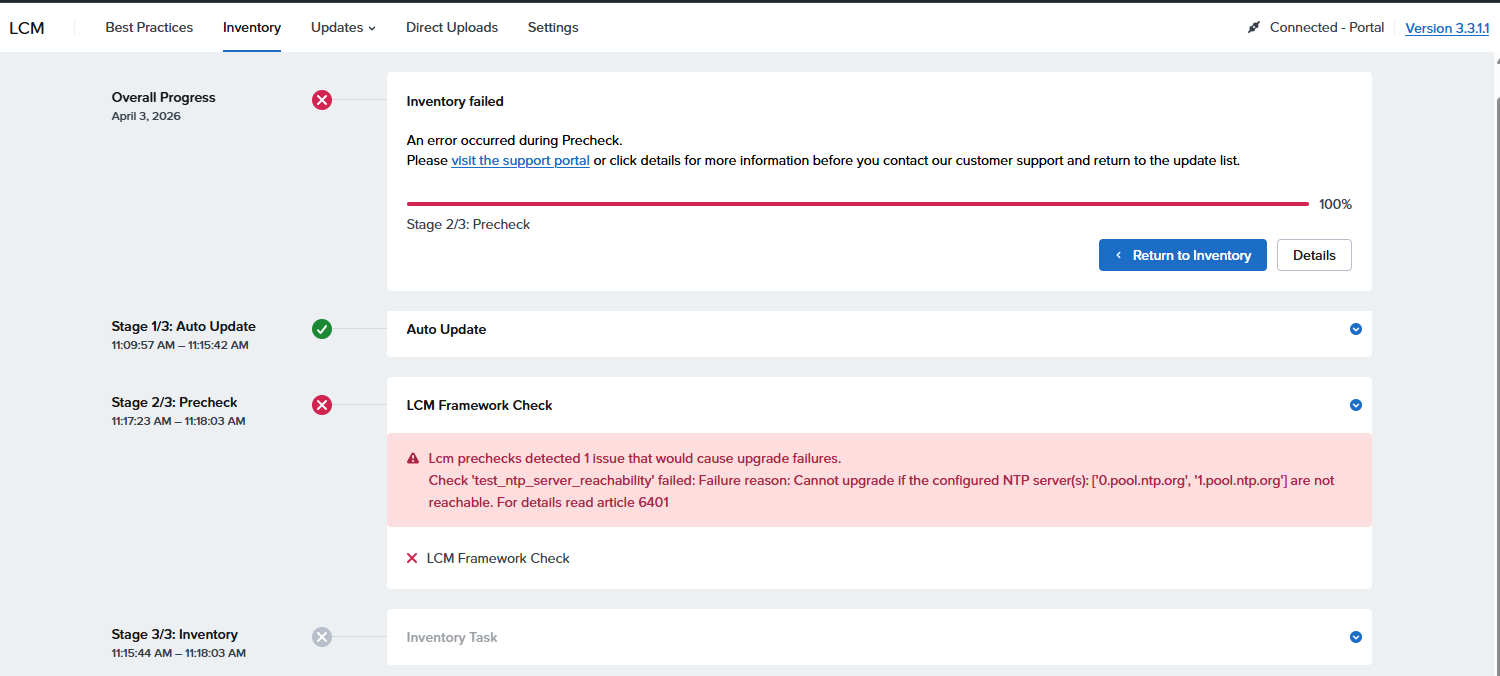
error alert
Lcm prechecks detected 1 issue that would cause upgrade failures.

Check 'test_ntp_server_reachability' failed: Failure reason: Cannot upgrade if the configured NTP server(s): ['0.pool.ntp.org', '1.pool.ntp.org'] are not reachable. For details read article 6401
[root@NTNX-4bc9a811-A ~]# cat /etc/chrony.conf
# Use public servers from the pool.ntp.org project.
# Please consider joining the pool (http://www.pool.ntp.org/join.html).

# Record the rate at which the system clock gains/losses time.
driftfile /var/lib/chrony/drift

# Allow the system clock to be stepped in the first three updates
# if its offset is larger than 1 second.

# Enable kernel synchronization of the real-time clock (RTC).
rtcsync

# Enable hardware timestamping on all interfaces that support it.
#hwtimestamp *

# Increase the minimum number of selectable sources required to adjust
# the system clock.
#minsources 2

# Allow NTP client access from local network.
#allow 192.168.0.0/16

# Serve time even if not synchronized to a time source.
#local stratum 10

# Specify file containing keys for NTP authentication.
keyfile /etc/chrony.keys

# Get TAI-UTC offset and leap seconds from the system tz database.
leapsectz right/UTC

# Specify directory for log files.
logdir /var/log/chrony

# Select which information is logged.
#log measurements statistics tracking
port 0
cmdport 0
server 1.pool.ntp.org maxpoll 10 iburst
server 0.pool.ntp.org maxpoll 10 iburst
server 192.168.1.1 maxpoll 10 iburst
[root@NTNX-4bc9a811-A ~]#
nutanix@NTNX-4bc9a811-A-CVM:192.168.1.14:~$ ncc health_checks network_checks check_ntp

####################################################
# TIMESTAMP : Thu Jul 09 01:52:10 2026 (UTC +0000) #
####################################################
Cluster Name: cvm
Cluster Id: 3772327690115644291
Cluster UUID: 00064e84-58d6-fd69-345a-000c29b67b83
Cluster Version: 6.8.1
NCC Version: 5.0.1-83db8d0f
    CVM ID(Svmid)            : 2
    CVM external IP          : 192.168.1.14
    Hypervisor IP            : 192.168.1.13
    Hypervisor version       : Nutanix 20230302.101026
    Node serial              : 61e640f9-e1fe-4ba3-a4cc-8c2384c95c9a
    Model                    : CommunityEdition
    Node Position            : A
    Block S/N                : 4bc9a811


Running : health_checks network_checks check_ntp
[==================================================] 100%
/health_checks/network_checks/check_ntp                                              [ WARN ]
---------------------------------------------------------------------------------------------+

Detailed information for check_ntp:
Node 192.168.1.14:
WARN: NTP servers configured on CVM (['192.168.1.1']) differ from those configured in the cluster (['0.pool.ntp.org', '1.pool.ntp.org', '192.168.1.1']).
WARN: The host (192.168.1.13) is not synchronizing with any NTP server. This might occur if none of the configured NTP servers are available or you are currently experiencing network instability determined by the high offset/high jitter.
Refer to KB 4519 (http://portal.nutanix.com/kb/4519) for details on check_ntp or Recheck with: ncc health_checks network_checks check_ntp --cvm_list=192.168.1.14
+-----------------------+
| State         | Count |
+-----------------------+
| Warning       | 1     |
| Total Plugins | 1     |
+-----------------------+
Plugin output written to /home/nutanix/data/logs/ncc-output-latest.log
nutanix@NTNX-4bc9a811-A-CVM:192.168.1.14:~$
nutanix@NTNX-4bc9a811-A-CVM:192.168.1.14:~$ ncc health_checks network_checks check_ntp

####################################################
# TIMESTAMP : Thu Jul 09 01:57:28 2026 (UTC +0000) #
####################################################
Cluster Name: cvm
Cluster Id: 3772327690115644291
Cluster UUID: 00064e84-58d6-fd69-345a-000c29b67b83
Cluster Version: 6.8.1
NCC Version: 5.0.1-83db8d0f
    CVM ID(Svmid)            : 2
    CVM external IP          : 192.168.1.14
    Hypervisor IP            : 192.168.1.13
    Hypervisor version       : Nutanix 20230302.101026
    Node serial              : 61e640f9-e1fe-4ba3-a4cc-8c2384c95c9a
    Model                    : CommunityEdition
    Node Position            : A
    Block S/N                : 4bc9a811


Running : health_checks network_checks check_ntp
[==================================================] 100%
/health_checks/network_checks/check_ntp                                              [ ERR  ]
---------------------------------------------------------------------------------------------+

Detailed information for check_ntp:
Node 192.168.1.14:
ERR : node (service_vm_id: 2) : NTP synchronized to server which is neither in the cluster nor in the list of allowed NTP servers
WARN: The host (192.168.1.13) is not synchronizing with any NTP server. This might occur if none of the configured NTP servers are available or you are currently experiencing network instability determined by the high offset/high jitter.
Refer to KB 4519 (http://portal.nutanix.com/kb/4519) for details on check_ntp or Recheck with: ncc health_checks network_checks check_ntp --cvm_list=192.168.1.14

One or more plugins generated ERROR as there were insufficient data to validate results. Please resolve other reported issues and re-run the health checks.
+-----------------------+
| State         | Count |
+-----------------------+
| Error         | 1     |
| Total Plugins | 1     |
+-----------------------+
Plugin output written to /home/nutanix/data/logs/ncc-output-latest.log
nutanix@NTNX-4bc9a811-A-CVM:192.168.1.14:~$
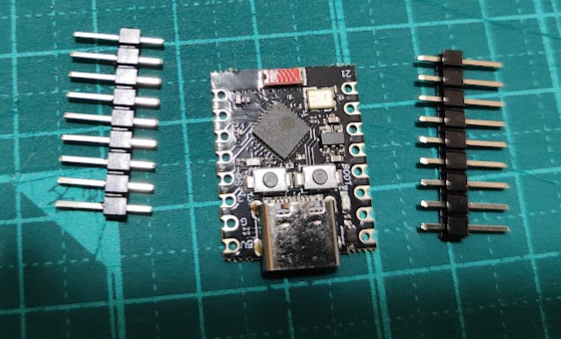
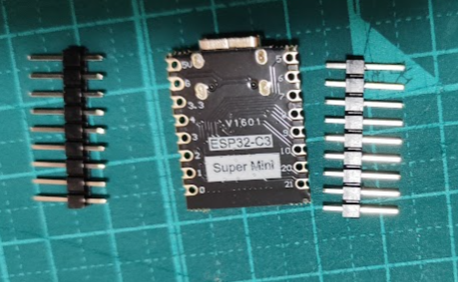
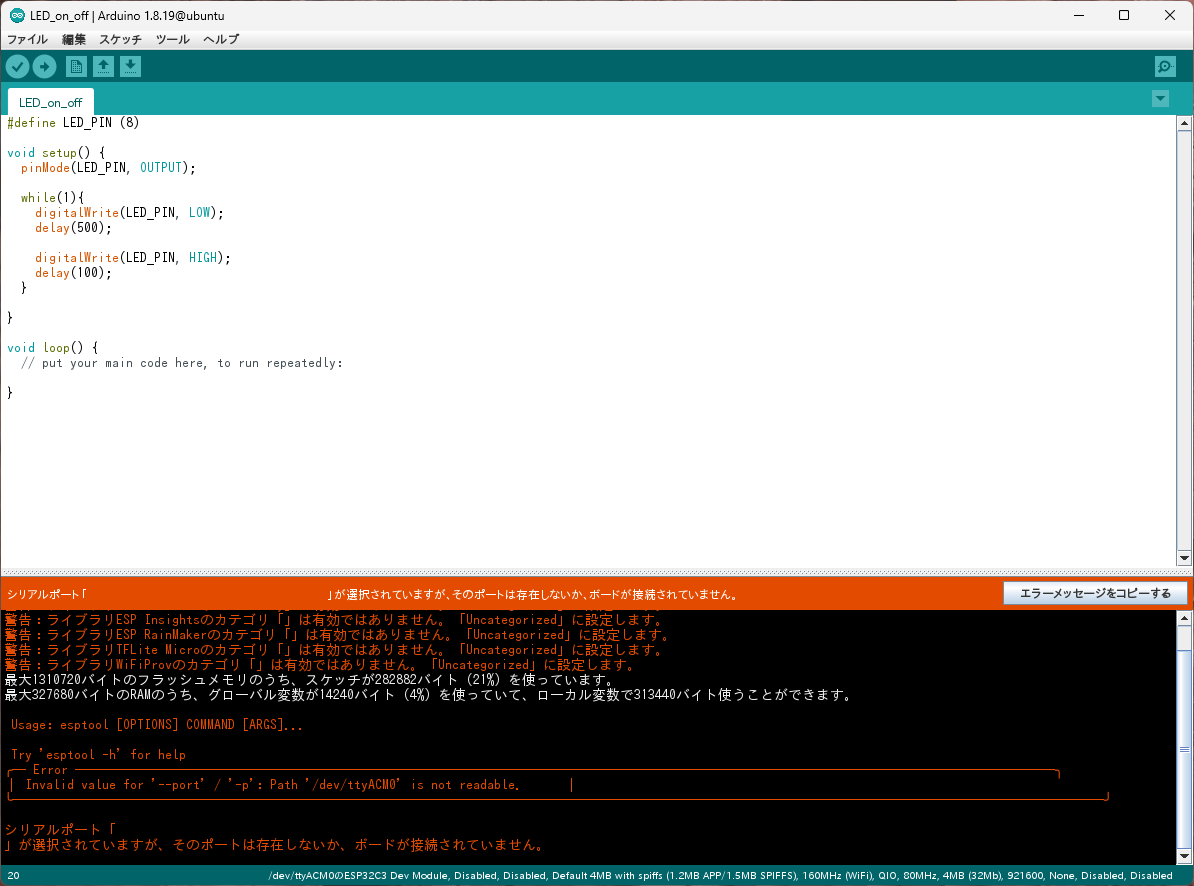
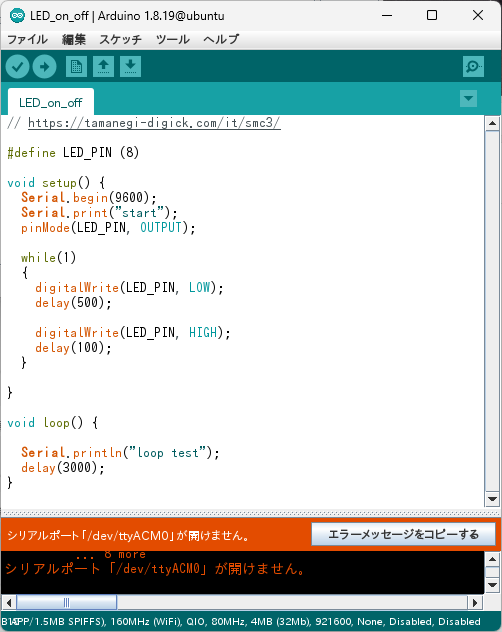
Arduiono上では、ボードマネージャにESP32追加し、ESP32 C3 Dev boardを選択して、サンプルを書き込み
エラー発生
Arduino:1.8.19 (Linux), ボード:"ESP32C3 Dev Module, Disabled, Disabled, Default 4MB with spiffs (1.2MB APP/1.5MB SPIFFS), 160MHz (WiFi), QIO, 80MHz, 4MB (32Mb), 921600, None, Disabled, Disabled"

警告:ライブラリESP_SRのカテゴリ「Sound」は有効ではありません。「Uncategorized」に設定します。
警告:ライブラリHashのカテゴリ「Security」は有効ではありません。「Uncategorized」に設定します。
警告:ライブラリESP Insightsのカテゴリ「」は有効ではありません。「Uncategorized」に設定します。
警告:ライブラリESP RainMakerのカテゴリ「」は有効ではありません。「Uncategorized」に設定します。
警告:ライブラリTFLite Microのカテゴリ「」は有効ではありません。「Uncategorized」に設定します。
警告:ライブラリWiFiProvのカテゴリ「」は有効ではありません。「Uncategorized」に設定します。
最大1310720バイトのフラッシュメモリのうち、スケッチが282882バイト(21%)を使っています。
最大327680バイトのRAMのうち、グローバル変数が14240バイト(4%)を使っていて、ローカル変数で313440バイト使うことができます。

 Usage: esptool [OPTIONS] COMMAND [ARGS]...

 Try 'esptool -h' for help
╭─ Error ──────────────────────────────────────────────────────────────────────╮
│ Invalid value for '--port' / '-p': Path '/dev/ttyACM0' is not readable.      │
╰──────────────────────────────────────────────────────────────────────────────╯

シリアルポート「
」が選択されていますが、そのポートは存在しないか、ボードが接続されていません。


「ファイル」メニューの「環境設定」から
「より詳細な情報を表示する:コンパイル」を有効にすると
より詳しい情報が表示されます。
確認してみる
まず、USBデバイスが存在しているかを確認
pcuser@ubuntu:~$ lsusb
Bus 001 Device 001: ID 1d6b:0002 Linux Foundation 2.0 root hub
Bus 001 Device 002: ID 0e0f:0003 VMware, Inc. Virtual Mouse
Bus 001 Device 007: ID 0e0f:0002 VMware, Inc. Virtual USB Hub
Bus 001 Device 008: ID 0e0f:0002 VMware, Inc. Virtual USB Hub
Bus 001 Device 022: ID 303a:1001 Espressif USB JTAG/serial debug unit
Bus 002 Device 001: ID 1d6b:0003 Linux Foundation 3.0 root hub
pcuser@ubuntu:~$
ある
rootユーザでesptoolを実行したらどうなる?
root@ubuntu:~# /home/pcuser/.arduino15/packages/esp32/tools/esptool_py/5.1.0/esptool --port /dev/ttyACM0 chip-id
esptool v5.1.0
Connected to ESP32-C3 on /dev/ttyACM0:
Chip type:          ESP32-C3 (QFN32) (revision v0.4)
Features:           Wi-Fi, BT 5 (LE), Single Core, 160MHz, Embedded Flash 4MB (XMC)
Crystal frequency:  40MHz
USB mode:           USB-Serial/JTAG
MAC:                ac:eb:e6:6d:6b:b0

Stub flasher running.

Warning: ESP32-C3 has no chip ID. Reading MAC address instead.
MAC:                ac:eb:e6:6d:6b:b0

Hard resetting via RTS pin...
root@ubuntu:~#
情報が取得できる
一般ユーザだとどうなる?
pcuser@ubuntu:~$ /home/pcuser/.arduino15/packages/esp32/tools/esptool_py/5.1.0/esptool --port /dev/ttyACM0 chip-id

 Usage: esptool [OPTIONS] COMMAND [ARGS]...

 Try 'esptool -h' for help
lq Error qqqqqqqqqqqqqqqqqqqqqqqqqqqqqqqqqqqqqqqqqqqqqqqqqqqqqqqqqqqqqqqqqqqqqk
x Invalid value for '--port' / '-p': Path '/dev/ttyACM0' is not readable.     x
mqqqqqqqqqqqqqqqqqqqqqqqqqqqqqqqqqqqqqqqqqqqqqqqqqqqqqqqqqqqqqqqqqqqqqqqqqqqqqj

pcuser@ubuntu:~$