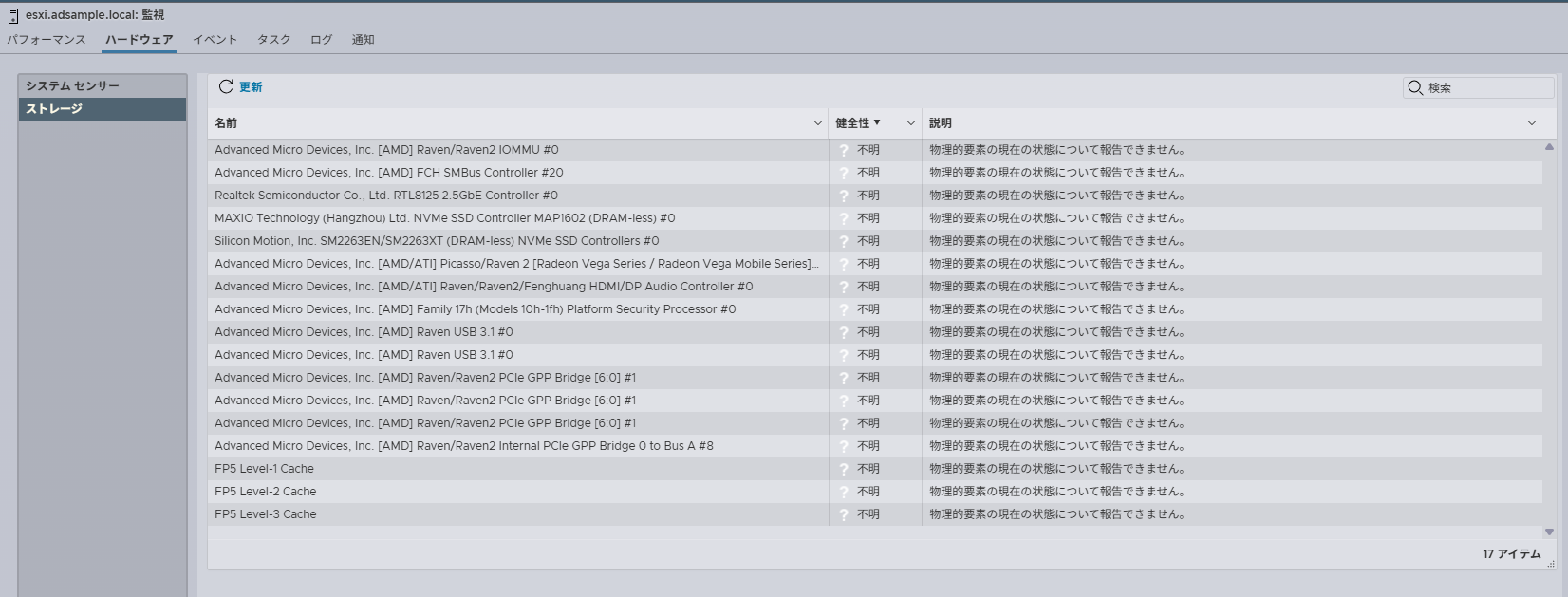
ESXi 8.0 Free環境でCIMサーバ(sfcbd-watchdog)が起動していない
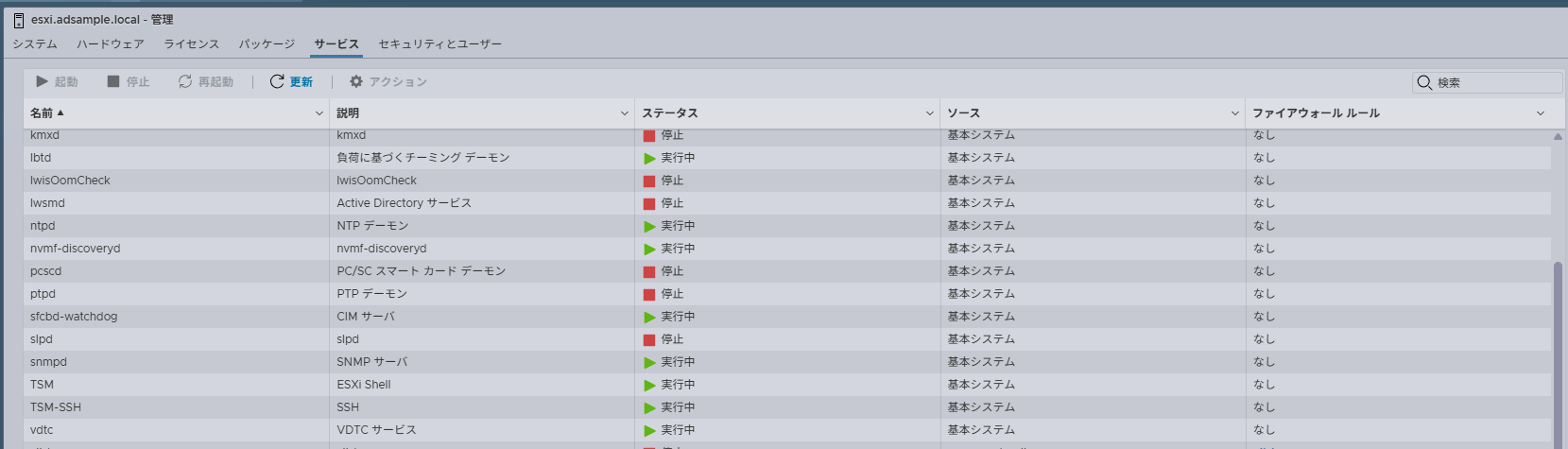
コマンドでステータスを確認
[root@esxi:~] /etc/init.d/sfcbd-watchdog status
sfcbd-init[1052108]: args ('status')
sfcbd-init[1052108]: Getting Exclusive access, please wait...
sfcbd-init[1052108]: Exclusive access granted.
sfcbd is not running
[root@esxi:~]
手動で起動を試みる
[root@esxi:~] /etc/init.d/sfcbd-watchdog start
sfcbd-init[1052119]: args ('start')
sfcbd-init[1052119]: Getting Exclusive access, please wait...
sfcbd-init[1052119]: Exclusive access granted.
sfcbd-init[1052119]: Request to start sfcbd-watchdog, pid 1052119
sfcbd-init[1052119]: sfcbd not started, administratively disabled.
[root@esxi:~]
起動に失敗する
検索すると「How to enable CIM Server (WBEM service) in ESXi 8」という記事を発見
wbemを有効化すると使えるようになるらしい
まず、現状wbemがどうなっているかを確認
[root@esxi:~] esxcli system wbem get
   Enabled: false
   WS-Management Service: true
   Enable HTTPS: true
   Authorization Model: password
   Port: 5989
   HTTP Procs: 2
   HTTPS Procs: 4
   Provider Procs: 16
   Keepalive Timeout: 1
   Keepalive Max Requests: 10
   Provider Sample Interval: 30
   Provider Timeout Interval: 120
   HTTP Max Content Length: 1048576
   Max Message Length: 40000000
   Thread Stack Size: 1048576
   Provider Resource Pool Override:
   SSL Cipher List: ECDHE+AESGCM:ECDHE+AES
   Threadpool Size: 5
   Readonly: false
   Log Level: warning
   Service Location Protocol PID: 0
   WS-Management PID: 0
   CIM Object Manager PID: 0
   Enabled SSL Protocols:
   Enabled System SSL Protocols: tlsv1.2
   Enabled Running SSL Protocols:
[root@esxi:~]
「Enabled: false」なので無効状態だった
「esxcli system wbem set -e true」を実行して有効化する
[root@esxi:~] esxcli system wbem set -e true
[root@esxi:~] esxcli system wbem get
   Enabled: true
   WS-Management Service: true
   Enable HTTPS: true
   Authorization Model: password
   Port: 5989
   HTTP Procs: 2
   HTTPS Procs: 4
   Provider Procs: 16
   Keepalive Timeout: 1
   Keepalive Max Requests: 10
   Provider Sample Interval: 30
   Provider Timeout Interval: 120
   HTTP Max Content Length: 1048576
   Max Message Length: 40000000
   Thread Stack Size: 1048576
   Provider Resource Pool Override:
   SSL Cipher List: ECDHE+AESGCM:ECDHE+AES
   Threadpool Size: 5
   Readonly: false
   Log Level: warning
   Service Location Protocol PID: 1052207
   WS-Management PID: 1053086
   CIM Object Manager PID: 1053049
   Enabled SSL Protocols:
   Enabled System SSL Protocols: tlsv1.2
   Enabled Running SSL Protocols: tlsv1.2
[root@esxi:~]
で、CIMサーバの状態を確認
[root@esxi:~] /etc/init.d/sfcbd-watchdog status
sfcbd-init[1053334]: args ('status')
sfcbd-init[1053334]: Getting Exclusive access, please wait...
sfcbd-init[1053334]: Exclusive access granted.
sfcbd is running
[root@esxi:~]
勝手に起動していた
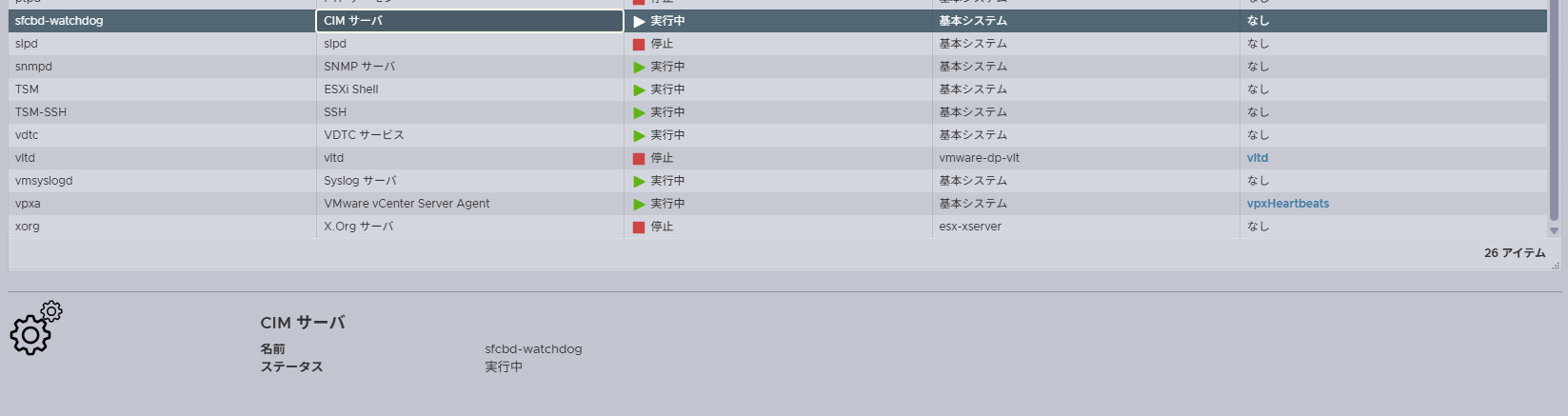
Web UI上でも起動を確認した
CIMサーバ稼働したので[ハードウェア]-[ストレージ]に情報が表示されるようになったけど、ストレージじゃないなぁ・・・